


BLOQUEURS DE PUBLICITÉS
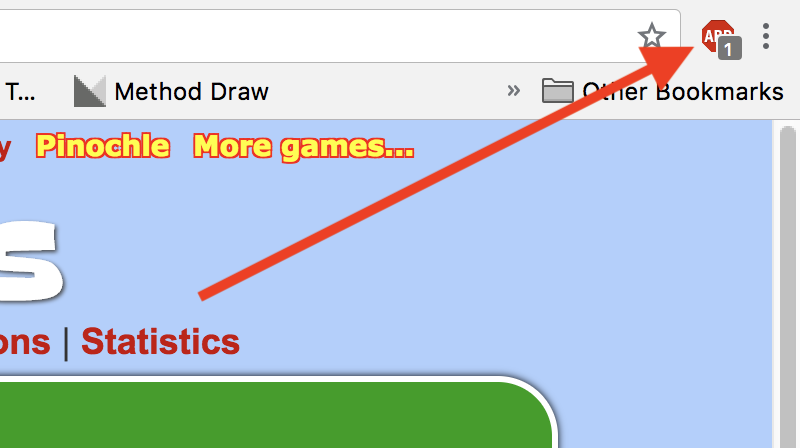
Here you will see how to change your ad blocker settings to allow ads on CardGames.io. We have instructions for two of the most popular ad blockers, AdBlock Plus and AdBlock. If you're not sure which one you have, just look at the images, and see which icon in the toolbar looks most like your toolbar icon. The images are from the Chrome browser, but Internet Explorer, Edge, Firefox and Safari all have similar toolbar icons for the ad blockers.
AdBlock Plus
This is the most popular ad blocker, and it's very easy to turn it off for one site.
1. Click on the AdBlock Plus icon in the upper right corner of your browser. On some browsers the icon might be to the left of the address bar instead, but it will look similar.
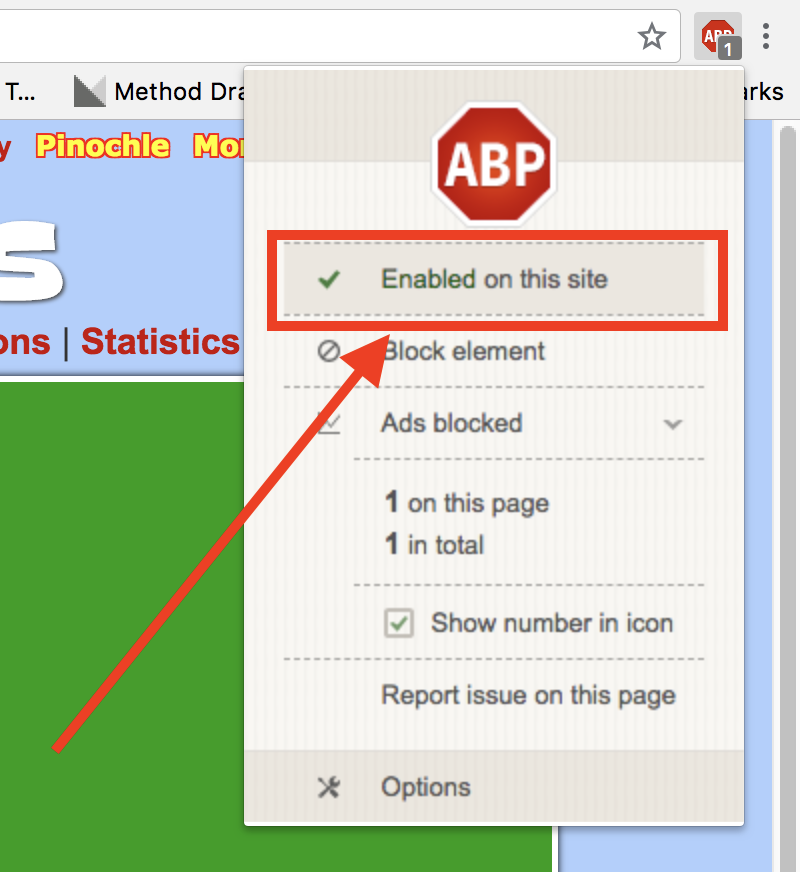
2. Click on the text "Enabled on this site", which is shown with a red box around it in the picture below.
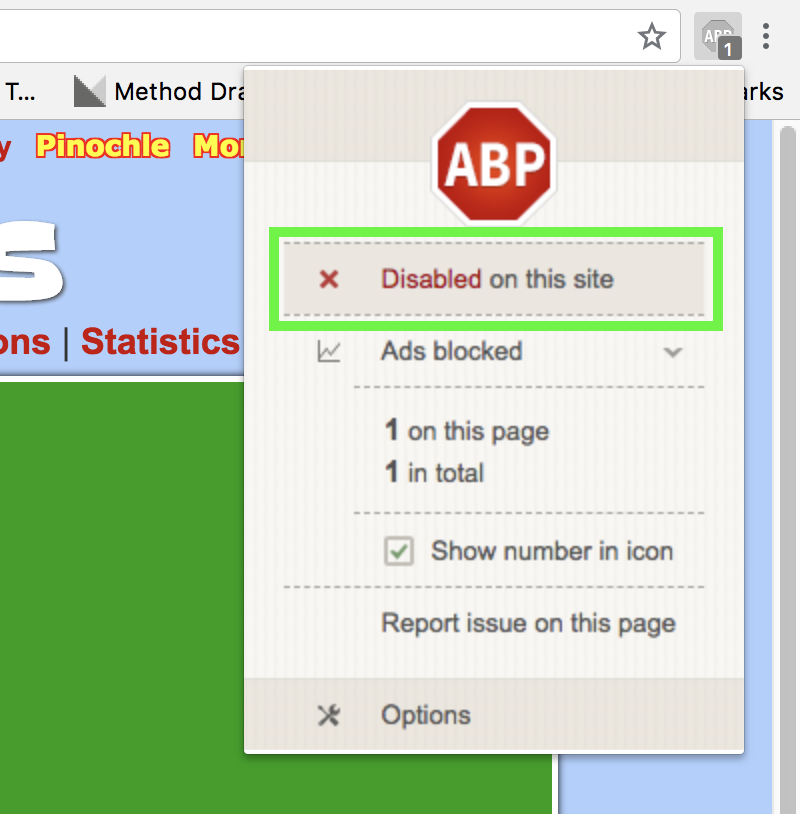
3. After you click it that text should say "Disabled on this site". That's it, you're done. Thank you, we appreciate you turning your blocker off!
AdBlock
This is another very popular blocker. It's a bit more complicated for this one, but not too bad.
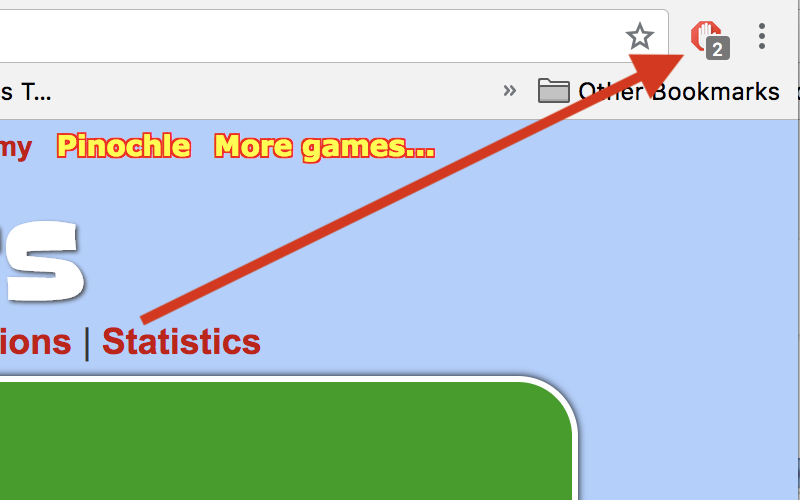
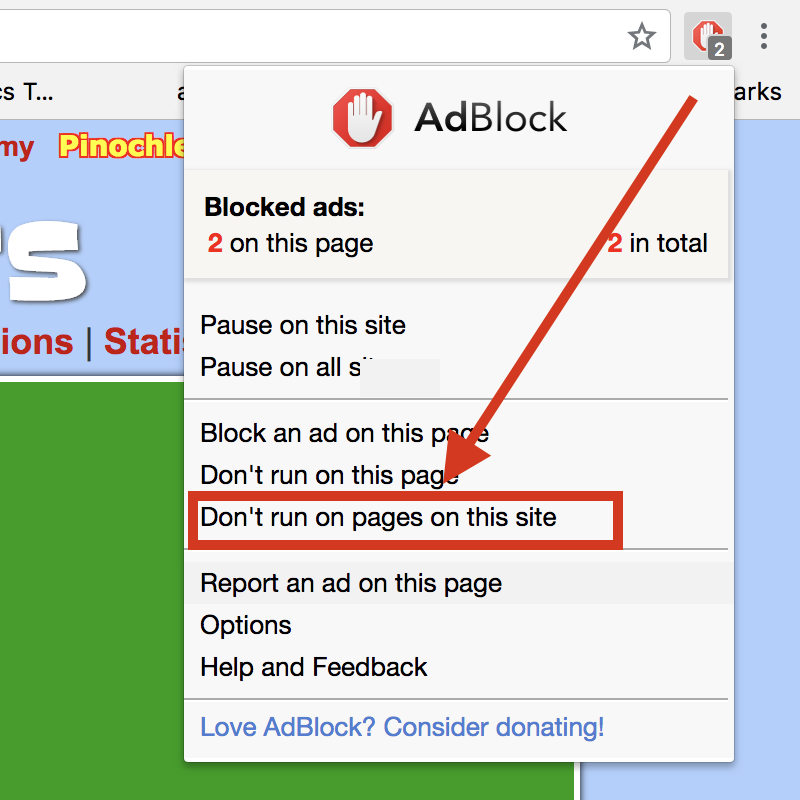
1. Click on the AdBlock icon in the upper right corner of your browser. On some browsers the icon might be to the left of the address bar instead, but it will look similar.
2. Click on the text "Don't run on pages this site", which is shown with a red box around it in the picture below. On some browsers that text might be "Don't run on pages on this domain" instead.
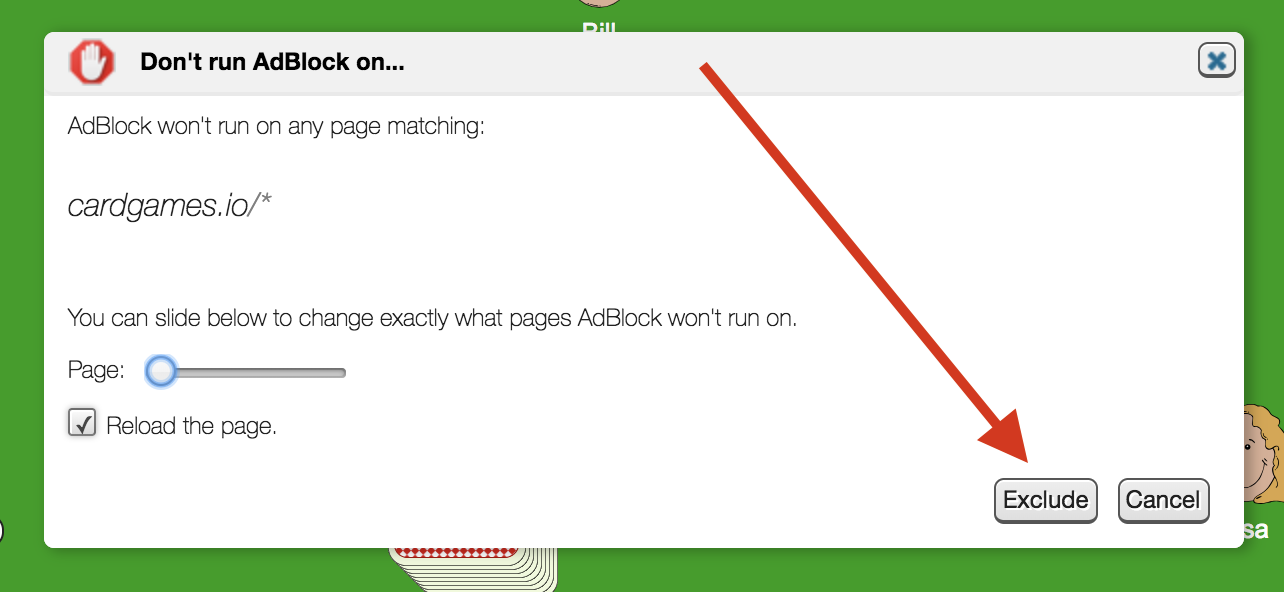
3. Then you get this dialog. Don't change any options there, just click on the "Exclude" button, which the arrow points to in the image below. That's it, you're done. Thank you, we appreciate you turning your blocker off!
Welcome to the Matrix.
root@cardgames.io: